A fader per instrument
“No drums” and “only guitar” are one click away — but they’re just fader positions. Mute, solo, or set your own balance, live, while the song plays. Your mix is remembered per song.
 AudioBased
 splits any song on your computer into six instruments — vocals, drums, bass, guitar, piano and the rest — and gives you a fader for each one. Rehearse against the band, at your own speed.
Windows and Linux · macOS coming soon · Works offline
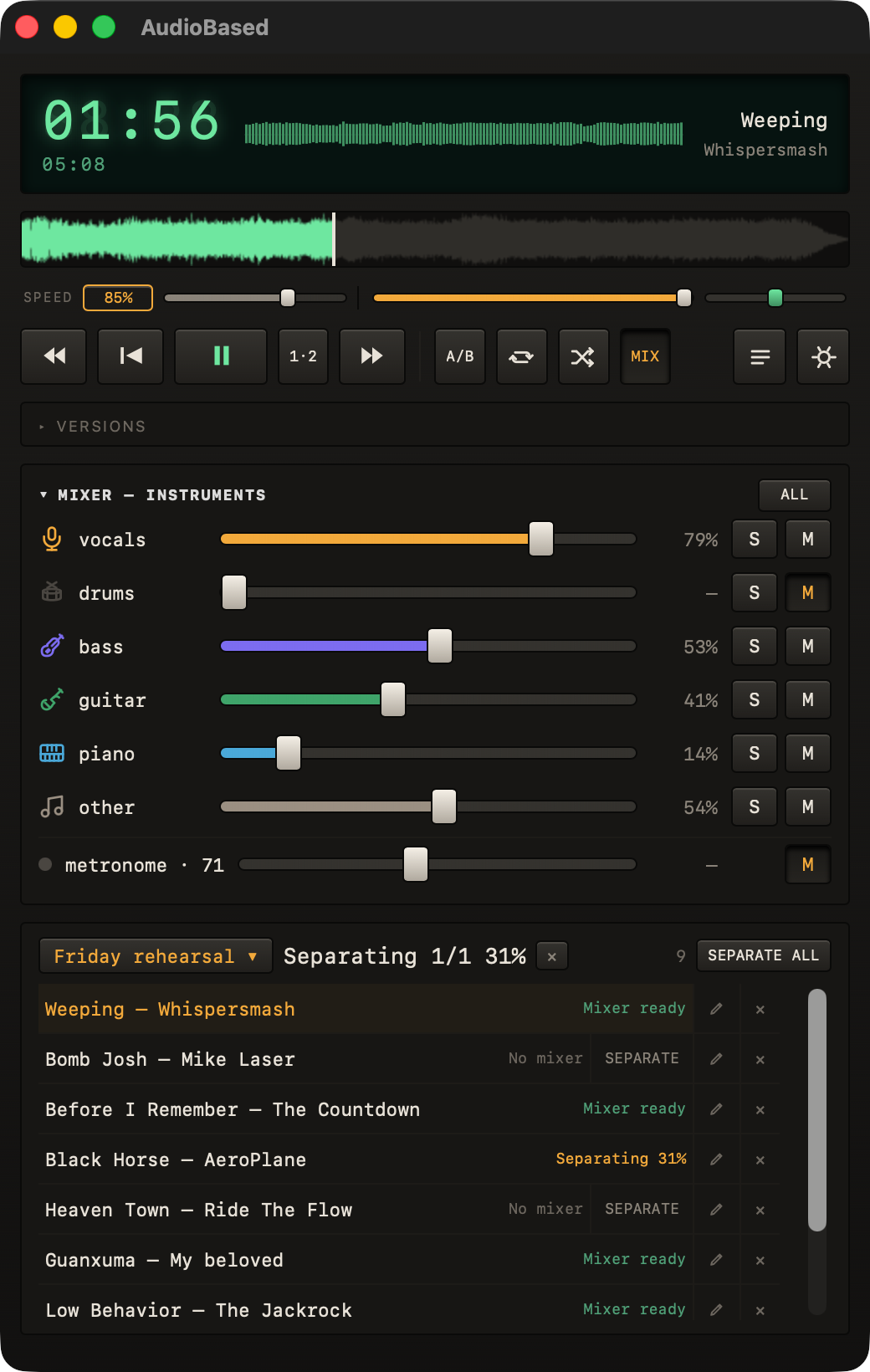
“No drums” and “only guitar” are one click away — but they’re just fader positions. Mute, solo, or set your own balance, live, while the song plays. Your mix is remembered per song.
Play anywhere from 50% to 100% speed without the song changing key. Loop the hard bar with two buttons: mark A, mark B.
The tempo is detected from the drums, and you can fine-tune it by ear. The count-in lands beat one of the song exactly on the click.
Queue a whole setlist for separation and come back to a rehearsal that’s ready. Nothing waits for you, and playback never waits for separation.
AudioBased never copies your music. Open a folder, drag files in, and it’s a player right away — MP3, FLAC, WAV, AAC, Opus and more.
No account, no upload, no cloud. Separation runs on your machine, and the app works the same with the Wi-Fi off — which is how most rehearsal rooms are.
I’d rather you know the limits now than find them later. The free version lets you try all of this on your own music first.
Vocals, drums and bass usually come out clean. Guitar, piano and “other” vary a lot from song to song, some bleed between instruments is normal, and an instrument the model can’t find comes out nearly silent.
The metronome follows one tempo, and plenty of recordings speed up or slow down — often more than you’d think. You can adjust the tempo by ear, but no fixed click follows a song that drifts.
The pitch stays put at reduced speed, but drums and cymbals can sound slightly echoey. Separation also works your computer hard: expect fans, heat and battery use while it runs.
Hi, I’m Vini Lazev. I play drums at home, for fun — nowhere near professional.
I wanted to work through songs and come up with my own drum parts, and that means hearing the band without the drummer. The tools that could do it all wanted a monthly subscription, and I didn’t want to pay rent on a hobby.
So I built AudioBased. It runs on your computer, works without the internet, and you pay for it once. It’s what I use at my own kit — and when I’m not rehearsing, it’s just my music player. I hope it earns a place next to yours.
— Vini
The player is free forever. Pay once, with no subscription, when you want more songs ready to rehearse — for yourself, or for the whole band. Launch prices while they last.
$0
Launch price
$39.90 one-time
Launch price
$79.90 one-time
Split four ways, it’s about $20 each.
AudioBased is out for Windows, on the Microsoft Store, and for Linux. The macOS version is on its way.
No. Everything — playback, separation, tempo detection — runs on your computer.
No. Full is a one-time purchase, and your key never expires. The app needs no account and no server to work, so it keeps working even if I stop making updates someday.
AudioBased uses a state-of-the-art six-instrument model. Vocals, drums and bass come out very clean; piano and “other” depend a lot on the song. It’s made for rehearsing against, not for releasing remixes.
About 8 MB per minute of music for the six instruments. The original file is never copied, and you can delete a song’s instruments at any time without losing your mix.
Removing the app doesn’t always remove the instruments it separated, and those can take several gigabytes. On Windows, the uninstaller offers to delete them; on macOS and Linux, you delete one folder yourself. Here’s where it is on each system. If you only want the space back, you don’t need to uninstall: the app’s Settings show what’s using it and let you delete a song’s instruments.
AudioBased recognizes a song by its content, not its name, so it finds it again. And a song that’s already separated keeps playing even if the original is gone.